
The TI-30XS Calculator Online is a free, browser-based scientific calculator for fractions, decimals, trigonometry, logarithms, exponents, and scientific notation. No download or installation is required.
Use it for homework, practice, and everyday scientific calculations.
[TI-30XS SCIENTIFIC CALCULATOR TOOL HERE]
Need graphing instead? Learn how to graph on a TI-84 calculator.
What Is a TI-30XS Calculator Online?
A TI-30XS Calculator Online is a browser-based scientific calculator, also called a TI-30XS simulator or virtual TI-30XS calculator, based on the Texas Instruments TI-30XS MultiView. It provides a browser-based experience for performing many of the same types of calculations available on the physical TI-30XS MultiView, including fractions, trigonometry, logarithms, statistics, and table generation.
TI-30XS MultiView at a Glance
| Type | Scientific calculator |
| Display | MultiView (4-line) |
| Best for | School-level scientific and mathematical calculations |
| Common uses | Fractions, decimals, trigonometry, logarithms, exponents, statistics |
| Graphing | No |
| Online version | Browser-based, on this page |
Who Is It For?
- Algebra students — work with fractions, exponents, roots, and other calculations
- Math students — work with roots, powers, fractions, and other scientific calculations
- Trigonometry & statistics students — sine, cosine, tangent, and data analysis
- Anyone prepping for exams — practice on the same layout as the real TI-30XS
Why Use It?
- Free — no subscription or hidden cost
- No download — works instantly in your browser
- Cross-device — desktop, tablet, or mobile
- Exam practice — practice common scientific-calculator workflows before using an approved calculator on test day
Main Features
| Feature | What It Does |
|---|---|
| Fractions & Decimals | Perform fraction operations and switch between fraction and decimal display |
| Trigonometry | Calculate sine, cosine, and tangent in degree or radian mode |
| Exponents & Roots | Calculate powers, square roots, and related expressions |
| Logarithms | Calculate common and natural logarithms |
| Scientific Notation | Work with very large or very small numbers |
| Statistics | Perform basic one- and two-variable statistical calculations |
| Table Function | Generate x and y values from an equation |
Need to plot graphs and visualize functions instead? Use the Virtual TI-84 Graphing Calculator.
Table of Contents
How to Use the TI-30XS Calculator Online
- Open the calculator on this page.
- Enter your calculation using the on-screen keys.
- Select the function you need — fraction, root, exponent, trig, or log.
- Read your result on the display.
- Clear to start a new calculation.
Clear the memory before starting a new calculation to avoid carrying over old values.
What Can You Calculate?
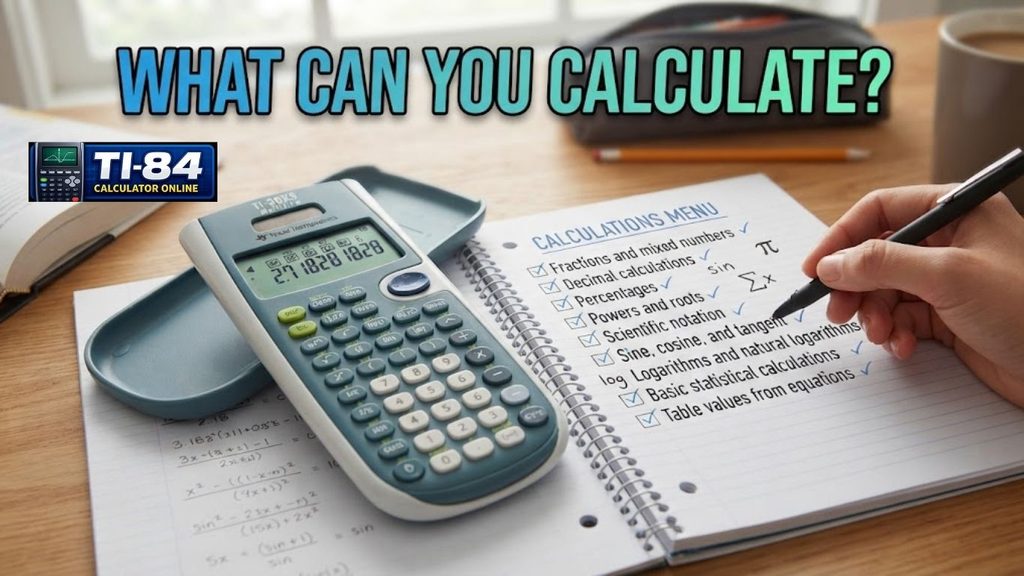
You can use a TI-30XS-style scientific calculator for:
TI-30XS Calculator for Fractions and Decimals
The TI-30XS is built for fast, accurate fraction and decimal work.
Calculate Fractions — Use the fraction key to solve addition, subtraction, multiplication, and division problems.
Convert Fractions to Decimals — Convert fraction results to decimal form directly from the calculator.
Convert Decimals to Fractions — Convert decimal values back into fraction form the same way.
TI-30XS vs Other Calculators
| Calculator | Best For |
|---|---|
| TI-30XS | Scientific calculations, school math |
| TI-30XIIS | Basic scientific calculations, 2-line display |
| TI-36X Pro | Advanced engineering/scientific work |
| TI-84 | Graphing and function visualization |
TI-30XS vs TI-30XIIS: TI-30XS has a 4-line MultiView display and MathPrint mode. TI-30XIIS has a 2-line display and no MathPrint.
TI-30XS vs TI-36X Pro: TI-36X Pro suits advanced engineering calculations. TI-30XS is simpler and built for everyday school math.
TI-30XS vs TI-84: TI-30XS handles computation. The TI-84 Plus CE adds graphing and function plotting. See how it compares to the newer model in our TI-84 Evo vs TI-84 Plus CE breakdown. Choose a TI-84 if your course requires graphs.
Is the TI-30XS a Graphing Calculator?
No. The TI-30XS is a scientific calculator, not a graphing calculator. It handles calculations such as fractions, trigonometry, logarithms, and statistics, but it does not provide the graphing capabilities of a TI-84 Plus CE.
Can You Use a TI-30XS Online Without Downloading?
Yes. A browser-based TI-30XS calculator works directly in a modern web browser, with no app or software installation required.
Limitations
- Not identical to the physical calculator, some functions may differ by version
- Needs internet access to load
- Not a substitute for an exam-approved device unless your test allows browser-based tools
Exam Policy Note
Calculator rules differ by exam board. According to Texas Instruments, the physical TI-30XS MultiView is approved for use on the SAT®, ACT®, and AP® exams, but policies can change, so always check your exam’s official calculator policy before test day. This online tool is best used for practice, not as a replacement for an approved device during a real exam.
FAQs
Final Thought
The TI-30XS Calculator Online provides a convenient way to practice scientific calculations directly in a browser. It’s useful for fractions, decimals, trigonometry, logarithms, exponents, and basic statistics. If you need graphing and function visualization, a TI-84 calculator is a better choice.