
Virtual TI-84 Graphing Calculator: Free Online Tools, Apps & Downloads (2026 Guide)
Yes, you can use a full-featured virtual TI-84 graphing calculator for free. The best browser-based option is Calc84.app, the best official option is Texas Instruments’ own TI-84 Plus CE Online Calculator, and the best offline desktop emulator is CEmu. None of these are permitted on the SAT, ACT, AP, or IB exam; you still need a physical TI-84 Plus CE or TI-84 Evo for test day.
If you need a TI-84 graphing calculator but don’t want to spend over $100 on the physical device, you’re in the right place. A virtual TI-84 graphing calculator, also called a TI-84 emulator, simulator, or ROM-based calculator app, provides the same keypad layout, screen output, and math engine as the real device, right in your browser or as a free download. No shipping. No batteries. No waiting.
Whether you’re a student prepping for standardized testing, a teacher demonstrating functions and graphs in class, a homeschool parent building an algebra or pre-calculus curriculum, or just someone who loves math, this guide covers exactly how to get a free TI-84 online, which emulators are legitimate and actively maintained, and what to avoid.
What Is a Virtual TI-84 Graphing Calculator?
In 2026, these tools are more capable than ever. Depending on which one you choose, you can:
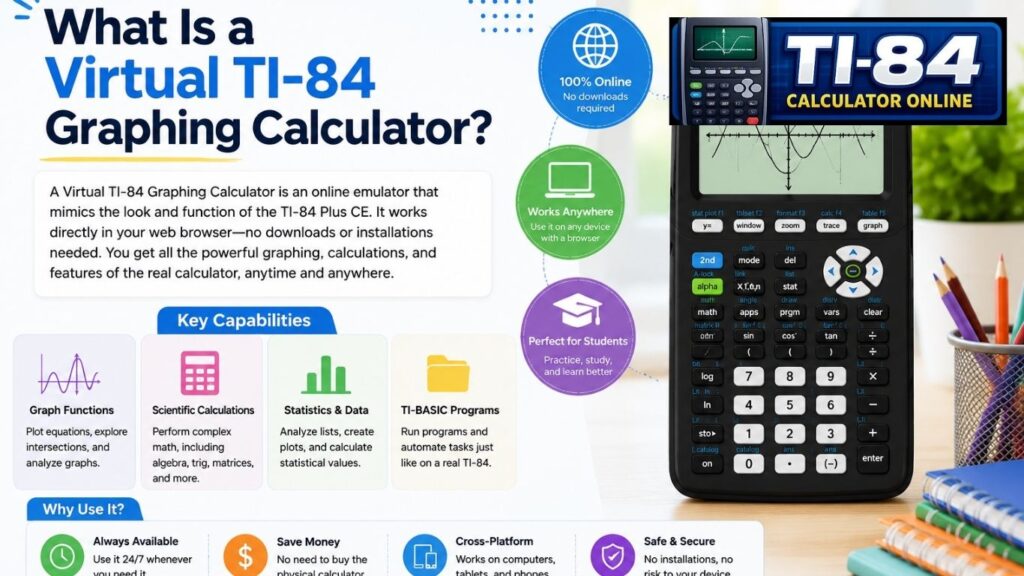
- Graph functions, inequalities, parametric equations, polar graphs, and sequences
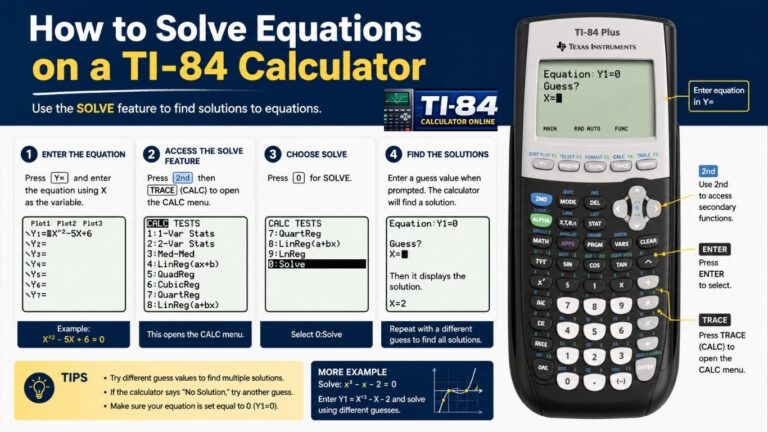
- Solve equations and systems of equations, and perform matrix operations
- Run one- and two-variable statistics, regressions, and distribution functions
- Work with complex numbers, lists, and the Financial (TVM) app
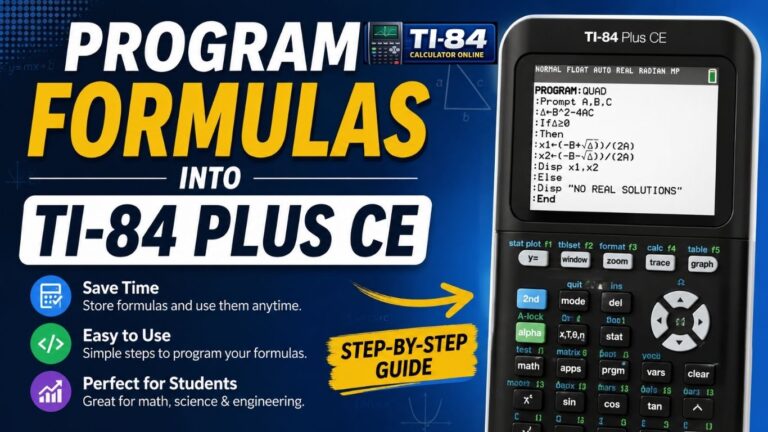
- Write and run TI-BASIC programs (and, on some models, TI-Python)
This overlaps with what’s sometimes called an online scientific calculator or graphing calculator simulator, though a true TI-84 emulator goes further by replicating the exact TI-OS interface, menu structure, and keystroke sequences, which matters for students building exam-day muscle memory.
Table of Contents
Is There an Online Version of the TI-84?
Yes, and there are several legitimate, actively maintained options. Many students and teachers don’t realize this: you don’t need the physical TI-84 to access its core functionality. Several tools offer a fully working virtual TI-84 graphing calculator online, free, directly in your browser.
1. Calc84.app (Best Overall Free Option)
Calc84.app runs a browser-based TI-84 Plus CE-style emulator with graphing, matrices, statistics, and equation-solving, mirroring the TI-84 Plus CE running OS 5.8.0 in keypad layout and menu structure. It requires no sign-up, has no ads, and functions offline after the first load.
Best for: Students who want a no-hassle, browser-based tool for homework and exam prep.
2. TI-84 Plus CE Online Calculator
Texas Instruments offers its own official web-based version of the TI-84 Plus CE through its education portal. It mirrors every button and function of the physical calculator, and students who buy a physical TI-84 Plus CE typically get a multi-year license bundled in, and schools can purchase multi-user classroom licenses.
Best for: Classrooms, teachers, and anyone who wants a first-party, TI-verified tool for instruction.
3. Meta-Calculator
Meta-Calculator (meta-calculator.com) is a well-established browser-based graphing tool with a TI-84-style interface. No sign-up required; solid for basic graphing, statistics, and standard scientific-calculator functions.
Best for: Quick homework help or practice without any download.
4. Other TI-84-Style Web Calculators
A growing number of sites (SageCalc, ti84calc.com, and similar TI-84 keypad clones) offer browser-based versions that mimic the physical device’s layout. Quality varies, so prioritize ones that are transparent about not being officially affiliated with Texas Instruments, work without requiring payment info up front, and don’t ask for excessive permissions.
A note on legitimacy: Because “TI-84 calculator online” is a heavily SEO’d search term, results include a mix of genuine emulators, simplified calculator skins, and low-quality sites optimized purely for ad clicks. Look for tools that disclose they’re unofficial/unaffiliated, don’t require downloads of unknown executables, and don’t ask for a credit card for a “free” tool.
Best Virtual TI-84 Graphing Calculator Downloads
If you’d rather use the calculator without an internet connection, these downloadable emulators are the standard choices.
CEmu: The Best TI-84 Plus CE Emulator for Desktop
CEmu is the gold standard for a full offline virtual TI-84 graphing calculator. It’s a free, open-source TI-84 Plus CE / TI-83 Premium CE emulator that runs natively on Windows, macOS, and Linux.
Key features:
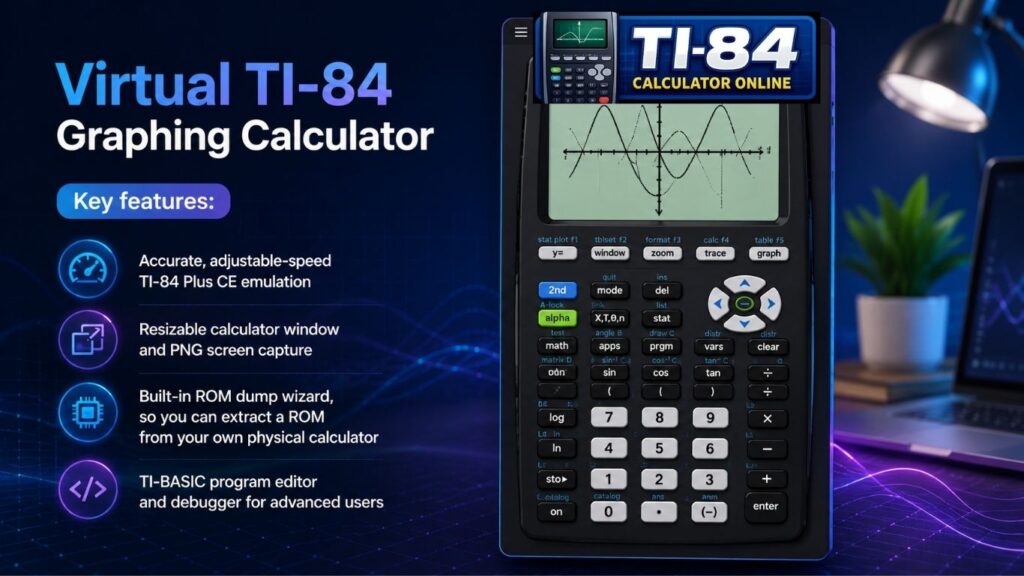
Important: CEmu requires a ROM file dumped from your own physical TI-84 Plus CE. It does not ship with, or download, a ROM from TI’s servers. This is what keeps the project legal. TI’s ROM/OS is copyrighted, and Texas Instruments’ terms permit personal backup of software you own, not redistribution of it.
- Download: ce-programming.github.io/CEmu (free, open-source, GPLv3 license)
- Platforms: Windows, macOS, Linux
Wabbitemu for Older TI-84 Models
If you have a TI-84 Plus (non-CE), Wabbitemu is the right pick. It accurately emulates the TI-73, TI-81, TI-82, TI-83, TI-83 Plus, and TI-84 Plus families.
Wabbitemu does not support the TI-84 Plus CE; for the CE model, use CEmu instead.
Best Virtual TI-84 Graphing Calculator Apps for Mobile
More students are doing math on phones and tablets than ever. Here are the leading mobile options for Android and iOS.
TI84CE (Open Source, Android/iOS/Web)
An open-source project (hunterchen7/ti84ce on GitHub) is building a TI-84 Plus CE emulator for Android, iOS, and the web, using CEmu as its reference implementation for accuracy. Development is ongoing, so check current platform support before relying on it.
AlmostTI (Android)
AlmostTI turns an Android phone into a TI-style graphing calculator, supporting multiple TI models. It’s a solid free, offline option for Android users.
Official TI-84 CE Online Calculator (Mobile Browser)
TI’s official web-based calculator is mobile-responsive and works from any phone browser, a free experience on both iOS and Android without installing anything.
What About a “TI-84 Calculator App” on the App Store?
Many students search for this, but Texas Instruments does not publish an official standalone TI-84 app for iPhone or Android. Your realistic options are:
- Use TI’s official web-based TI-84 Plus CE Online Calculator in your mobile browser
- Try an open-source Android app like AlmostTI
- Use a browser-based emulator like Calc84.app, which also works offline on mobile after first load
Why Is the TI-84 Still So Expensive in 2026?
This is one of the most common questions students and parents ask. TI-84 Plus CE listings on Amazon and elsewhere typically run $100–$130. That’s a lot for a calculator with hardware roughly comparable to a mid-2000s feature phone.
The short answer: captive-market pricing. Texas Instruments holds a dominant position, commonly cited as around 80% of the U.S. education graphing-calculator market. Standardized testing bodies, including the College Board (SAT/AP) and ACT, have approved specific TI models for decades, and TI has spent years building relationships with textbook publishers and curriculum committees that reinforce TI-specific instruction. When there’s no approved alternative allowed in the exam room, pricing power follows naturally.
One nuance worth knowing: the digital SAT, delivered through the College Board’s Bluebook app, has a built-in Desmos graphing calculator in the testing interface itself. For that specific exam, you don’t need a physical TI-84 at all. But the ACT, AP exams, IB exams, and most paper-based classroom tests still require an approved physical device.
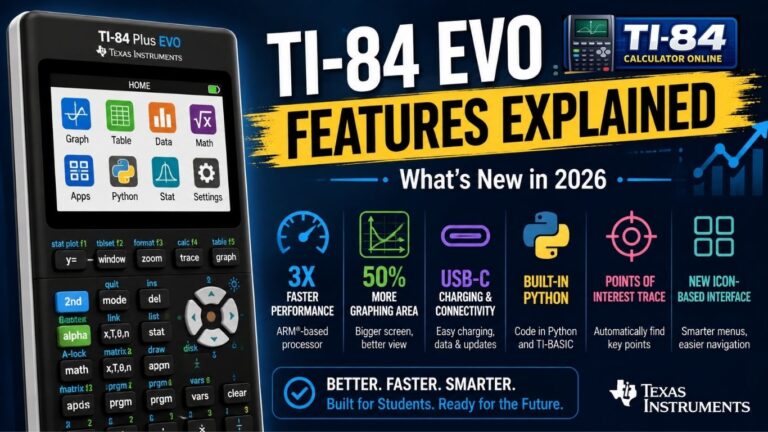
The TI-84 Evo (2026)
The TI-84 family. According to TI, the Evo features a processor up to 3x faster than previous TI-84 models, 50% more graphing space, a redesigned keypad with icon-based menus, and USB-C charging. It is designed as a distraction-free, single-purpose graphing calculator without Wi-Fi and has been approved by TI for major standardized exams, including ACT, SAT, IB, and AP.
The TI-84 Evo launched at around $160 USD, making it a premium option compared with the TI-84 Plus CE, which is commonly available in the $100–$130 range depending on the retailer. This price difference is one reason free virtual TI-84 tools remain popular for homework, practice, and learning calculator workflows.
TI-SmartView CE Is Being Discontinued What Replaces It?
If your school uses TI-SmartView CE, Texas Instruments’ paid classroom-projection emulator for teachers, here’s an important 2026 update: TI is discontinuing TI-SmartView CE Emulator Software. The last day to purchase a new license is October 30, 2026. Existing licenses will continue to receive support for the foreseeable future, but no new licenses will be sold after that date.
TI has stated that the TI-84 Plus CE Online Calculator is the intended replacement for classroom demonstration use going forward. Schools currently relying on TI-SmartView CE should plan a transition to the free online version before the cutoff.
How to Use a Virtual TI-84 Graphing Calculator Online
Getting started takes under a minute:
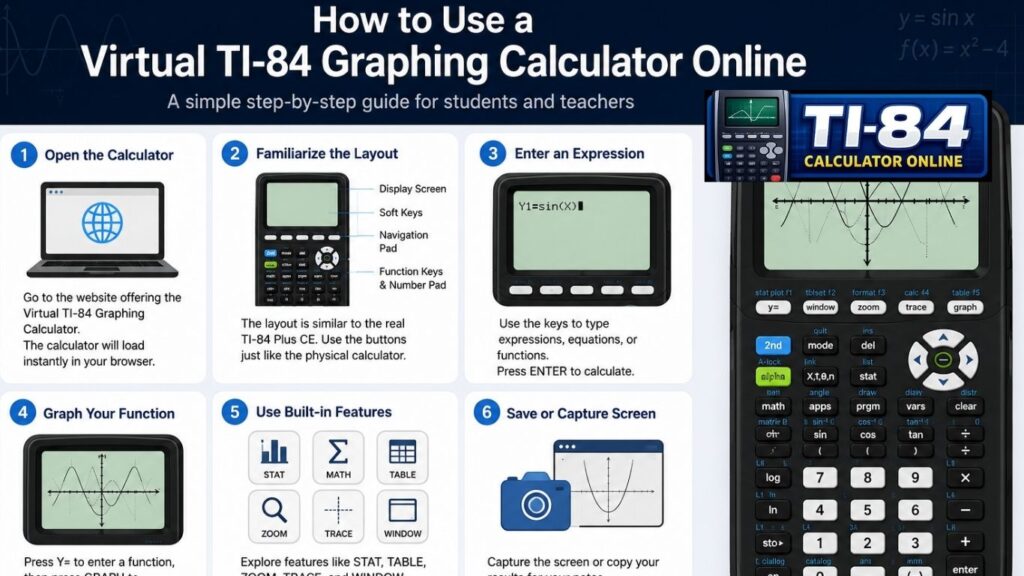
- Open any modern browser (Chrome, Safari, Firefox, Edge)
- Visit a browser-based tool such as Calc84.app or TI’s official online calculator
- Click into the calculator interface; it loads instantly, no install
- Use the keys just like a physical TI-84:
- Press Y= to enter a function
- Press WINDOW to set your viewing range
- Press GRAPH to plot it
- For quick arithmetic, type numbers and press ENTER
That’s the entire workflow: a fully working virtual TI-84 graphing calculator in seconds, with no account and no download required.
Fun Extra: Flappy Bird on a TI-84
Running Flappy Bird on a TI-84 is a long-running tradition among students. Here’s the general process:
- You’ll need a physical TI-84 Plus CE or CEmu with a ROM you’ve dumped yourself
- Find a TI-BASIC or C port of Flappy Bird from a community programming site like ticalc.org or Cemetech
- Connect your calculator to your computer with TI Connect CE
- Transfer the program file to the calculator
- Run it from the PRGM or APPS menu
On CEmu, you can load the same program file directly into the emulator instead of a physical device, since CEmu supports TI-BASIC and C program execution natively.
Reminder: this is for fun, not for exam day. Keep your calculator’s memory clean before any proctored test, since some testing centers check calculator memory.
TI-84 Plus CE vs. TI-84 Evo vs. Virtual TI-84: Which Should You Use?
| Feature | TI-84 Plus CE (Physical) | TI-84 Evo (Physical) | Virtual TI-84 (Free |
| Cost | ~$100–$130 | ~$160–$170 | Free |
| Allowed on SAT/ACT/AP/IB exams | Yes | Yes | No |
| Works fully offline | Yes | Yes | Depends on tool (CEmu: yes; most browser tools: partial) |
| Processor speed | Baseline | Up to 3x faster | N/A (runs on your device’s hardware) |
| Graphing capability | Full | Full, 50% more graphing space | Full (browser/desktop tools) |
| Programs / TI-BASIC | Yes | Yes | Yes, via CEmu or open-source emulators |
| Wi-Fi/connectivity | None | None (by design) | Requires internet (browser tools) or none (CEmu offline) |
| Portability | Physical device only | Physical device only | Any browser or device |
Bottom line: Use a virtual TI-84 for homework, practice, and building keypad familiarity. Use the physical TI-84 Plus CE or the newer TI-84 Evo on exam day; no virtual tool is permitted in a proctored testing environment.
Best-For Summary
| Tool | Type | Best For |
| Calc84.app | Browser | No-hassle homework practice, works offline after first load |
| TI-84 Plus CE Online Calculator | Browser (official) | Classroom instruction, TI-verified accuracy |
| Meta-Calculator | Browser | Quick basic graphing without setup |
| CEmu | Desktop download | Full offline emulation, TI-BASIC development, ROM-based accuracy |
| Wabbitemu | Desktop download | Older TI-83/TI-84 Plus (non-CE) models |
| Almost TI | Android app | Offline mobile use on Android |
| TI84CE (open source) | Android/iOS/Web | Actively developed cross-platform emulation |
Frequently Asked Questions
Is the TI-84 emulator safe?
Yes, a TI-84 emulator is generally safe when downloaded from trusted sources or used through reputable browser-based services. Stick to official tools, well-known open-source projects like CEmu, or established websites. Avoid downloading ROM files or emulator software from unknown websites, as they may contain malware or violate copyright.
Can a Chromebook run a TI-84 emulator?
Yes. Most Chromebook users can run browser-based TI-84 emulators such as Calc84.app or the official TI-84 Plus CE Online Calculator without installing software. If your Chromebook supports Linux apps, you may also be able to run CEmu with the required ROM.
Does CEmu work on Mac?
Yes. CEmu is compatible with macOS, Windows, and Linux. It provides accurate TI-84 Plus CE emulation, but you’ll need to dump a ROM image from your physical calculator before using it.
Can I use a TI-84 without a ROM?
It depends on the emulator. Browser-based tools like Calc84.app or TI’s official online calculator don’t require you to provide a ROM. However, CEmu requires a ROM image created from a TI-84 Plus CE calculator that you own.
Which emulator is closest to a real TI-84?
For the TI-84 Plus CE, CEmu offers one of the most accurate emulation experiences because it runs the official calculator operating system from your own device. For quick browser access, Calc84.app provides a familiar interface and workflow without installation.
Does the TI-84CE support Python?
Support depends on the specific project version. Some open-source TI84CE builds focus primarily on TI-BASIC compatibility, while Python support may be limited or still under development. Always check the project’s latest documentation before relying on Python features.
Can I install apps on Cemu?
Yes. CEmu supports many TI-84 Plus CE applications and TI-BASIC programs, provided they are compatible with your installed operating system and ROM. You can also test educational programs and games just as you would on a physical calculator.
Which calculator is easiest for AP Calculus?
The TI-84 Plus CE remains one of the most popular choices for AP Calculus because of its familiar interface, graphing capabilities, and broad classroom adoption. Students who already use a virtual TI-84 for practice often find the transition to the physical calculator straightforward.
Is Calc84 better than CEMU?
Neither is universally better; it depends on your needs. Calc84 is ideal for quick browser-based access with no installation, while CEMU is the better choice for accurate offline emulation, TI-BASIC programming, and advanced testing.
Which TI calculator is best for engineering students?
For most engineering students, the TI-84 Plus CE is an excellent choice for algebra, calculus, statistics, and introductory engineering courses. Students taking advanced university engineering classes may also consider the TI-Nspire CX II for its additional features, depending on course requirements.
Conclusion
A virtual TI-84 graphing calculator is one of the smartest tools a student can use in 2026: free, cross-platform, and functionally equivalent to the physical device for homework, test prep, and building conceptual understanding. For browser-based simplicity, try Calc84.app or TI’s own official online calculator. For a full offline desktop experience, go with Cemu. And when exam day arrives, make sure you have your physical TI-84 Plus CE or the newer TI-84 Evo ready; no virtual tool is exam-legal.
Open your browser, pick one of the tools above, and start graphing in seconds.
References & Sources
- Texas Instruments — TI-84 Evo Graphing Calculator Launch Announcement
- Texas Instruments Education — TI-84 Plus CE Online Calculator
- Texas Instruments / Vernier — TI-SmartView CE Emulator Software
- CEmu Project (Official)
- Wabbitemu Project (GitHub)
- College Board — Digital SAT Calculator Policy
Related Reading
- How to Reset a TI-84 Calculator
- TI-84 Plus CE Online Emulator
- TI-84 Calculator Online
- TI-84 Graphing Calculator Online
- TI-84 Plus CE OS Guide
- TI-84 Calculator FAQs
Sources
- Texas Instruments — TI-84 Evo Graphing Calculator launch announcement (April 28, 2026).
- Texas Instruments Education — TI-84 Plus CE Online Calculator documentation.
- Texas Instruments / Vernier — TI-SmartView CE Emulator Software documentation and discontinuation notice.
- CEmu Project — Open-source TI-84 Plus CE emulator (GPLv3).
- Wabbitemu Project — Emulator for the TI-83/TI-84 Plus family.
- College Board — Official Digital SAT calculator policy and Bluebook guidance.


4 Comments